Showing posts with label static IP. Show all posts

Wednesday, April 15, 2026

How To Setup a Desktop PC as a Server


Desktop PC as a Server:
The Ultimate Setup Guide (Windows 10/11)

Applies to: Windows 10 Pro / Windows 11 Pro (22H2 and later)

The purpose of this guide is to help folks with configuring a standard desktop computer to reliably serve files, printers, and business applications (QuickBooks, Sage, etc.) without downtime or performance lag.

Wednesday, April 5, 2023

Xfinity, Comcast, Comcast Business Modem Port Forwarding

 Xfinity, Comcast & Comcast Business 
Modem Port Forwarding

  1. Login to your Xfinity/Comcast Modem by entering one of the two following IP addresses into a browser address bar:
    1. 10.0.0.1 for residential customers.
    2. 10.1.10.1 for Comcast Business customers.

  2. The default logins for most Comcast/Xfinity modems are:
    1. Username: cusadmin Password: highspeed
    2. Username: admin Password: password

  3. After you log in, if you are asked to change the default password, do so! That way no random people can try to gain access to your modem if they gain access to your wifi/network. Use a safe/secure password and make a note of that information for future use.

  4. First off, you want to configure the Firewall in your modem to either be set to Custom or if you can, turn it off completely if possible.

  5. After turning off the Firewall, go to "Connected Devices".

  6. Reserve the IP address (set a static IP) for the device that you are port forwarding to.

  7. Click on the "Advanced" tab, and you can then set up any/all port forwarding rules as needed to your statically assigned device!
Xfinity/Residential Modem Firewall:

Comcast Business Modem Firewall:

  • To make sure you have in fact opened the needed ports successfully, you first need to figure out your public IP address. You can visit www.whatismyip.com and get your Public IP address.
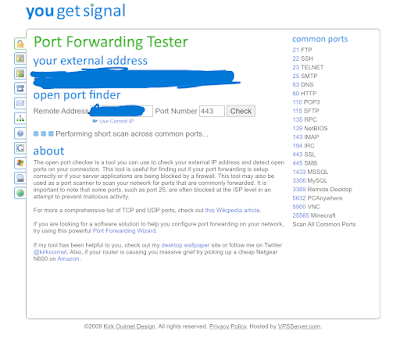
  • Next, visit www.yougetsignal.com's Open Port testing site and make sure the ports you have opened/forwarded are indeed working!